If you’re thinking of using Monday.com for your business, team, or projects, the first thing to understand is how much it will cost.
Monday.com offers different pricing plans based on what you’re using it for like Work Management, CRM, Dev, or Service.

✅ START MONDAY FREE TRIAL NOW!
In this guide, I’ll break down all the pricing options in a simple way.
Whether you’re a freelancer, a small business owner, or running a large company this post will help you choose the right plan without confusion.
📌 Pricing Plans Overviews
Here’s a quick summary of Monday.com’s pricing for each product, so you can easily compare and choose what fits your needs best.
1️⃣. Monday.com Work Management Pricing

Monday Work Management is the heart of the platform. It’s designed to help teams plan, track, and deliver their projects on time.
Whether you’re managing marketing campaigns, product launches, or internal tasks this tool keeps everyone aligned in one place.
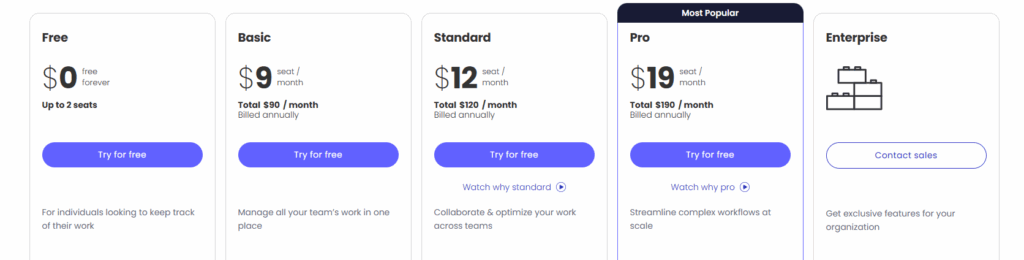
Work Management is the core product perfect for managing tasks, teams, and projects.
| Plan | Price (Per User/Month) | Total for 10 Seats | Key Features |
|---|---|---|---|
| Basic | $9 | $90/month | Dev templates, unlimited boards |
| Standard | $12 | $120/month | Timeline view, 250 automations |
| Pro | $20 | $200/month | Time tracking, 25k automations |
| Enterprise | Custom | Contact Sales | Security, permissions, full support |
2️⃣. Monday.com CRM Pricing

The CRM module is made for sales teams to track leads, deals, and client communication.
It replaces messy spreadsheets with a clear visual pipeline and smart automation. If you’re in sales, this is your all-in-one tool to close more deals faster.
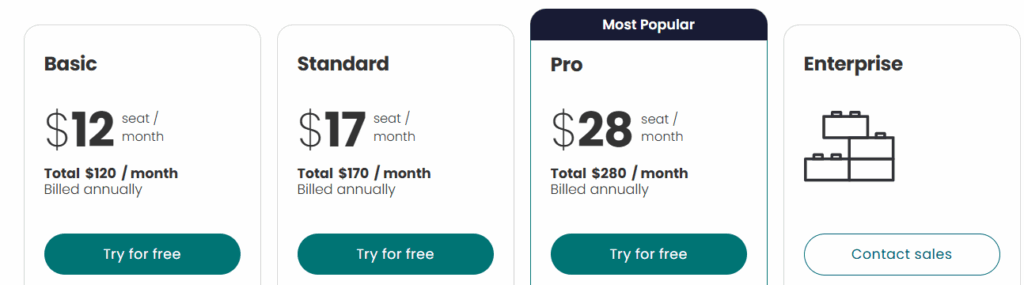
CRM is built for managing leads, clients, and the sales pipeline.
| Plan | Price (Per User/Month) | Total for 10 Seats | Key Features |
|---|---|---|---|
| Basic | $12 | $120/month | Unlimited contacts, pipelines, lead tracking |
| Standard | $17 | $170/month | Email sync, quotes/invoices, 250 automations |
| Pro | $28 | $280/month | Forecasting, email templates, 25k automations |
| Enterprise | Custom | Contact Sales | Advanced permissions, analytics, governance |
3️⃣. Monday.com Dev Pricing
Monday Dev is built for developers and product teams managing bugs, sprints, and roadmaps.
It comes with features like Git integrations, dev templates, and agile workflows. This setup helps your tech teams stay organized from coding to deployment.
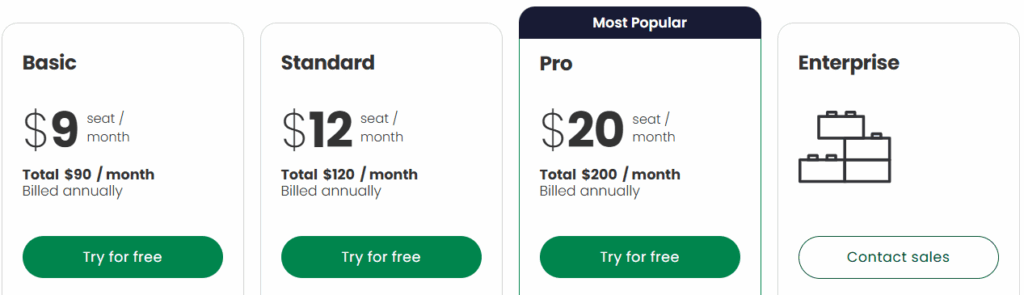
Dev is made for product and development teams who want to track bugs, sprints, and releases.
| Plan | Price (Per User/Month) | Total for 10 Seats | Key Features |
|---|---|---|---|
| Free | $0 | Free (Up to 2 users) | 3 boards, 8 column types, mobile app |
| Basic | $9 | $90/month | Unlimited boards, 5GB storage, 1‑week log |
| Standard | $12 | $120/month | Timeline view, guest access, 250 automations |
| Pro | $19 | $190/month | Time tracking, private boards, 25k automations |
| Enterprise | Custom | Contact Sales | Advanced security, analytics, support |
4️⃣. Monday.com Service Pricing

This module is for customer support teams who need to handle service tickets, client requests, or internal IT queries.
With features like automation and auto-replies, it reduces manual work. Ideal for businesses that want to offer fast and smooth support.
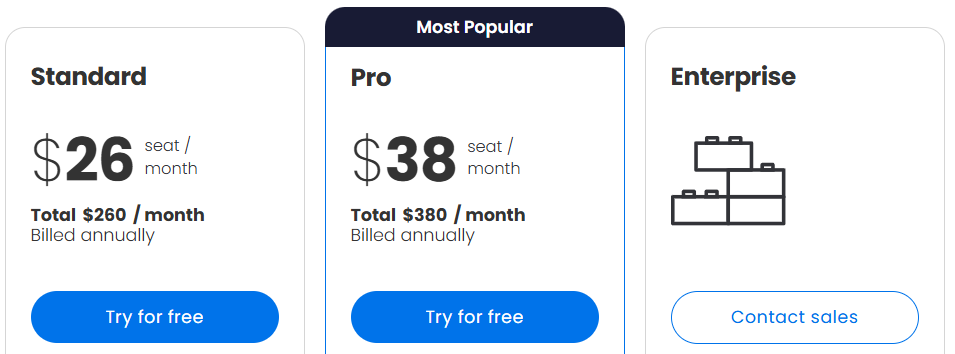
Service is for support teams managing customer tickets and workflows.
| Plan | Price (Per User/Month) | Total for 10 Seats | Key Features |
|---|---|---|---|
| Standard | $26 | $260/month | Email tickets, workflows, 250 automations |
| Pro | $38 | $380/month | Auto‑responses, 25k automations |
| Enterprise | Custom | Contact Sales | Advanced security, 50‑board dashboards |
Thinking about which module fits your work style? For a detailed look at how each plan performs in real-world workflows, check out our comprehensive Monday.com Review it covers usability, strengths, and limitations across Work, CRM, Dev, and Service.
📌 Module Pricing Differences (Work Management / CRM / Dev / Service)
Monday.com pricing changes based on which product module you choose because each one is designed for a different team and includes different features.
- Work Management → For general project and task management.
Best for: Marketing, operations, creative teams.
Pricing: Cheapest module — most common starting point. - Sales CRM → For tracking leads, deals, emails, and sales activities.
Best for: Sales and account management teams.
Pricing: Slightly higher because of CRM-specific features. - Dev → For software teams managing sprints, bugs, and roadmaps.
Best for: Developers and product managers.
Pricing: Similar to Work Management but includes dev-focused templates and integrations. - Service → For managing customer tickets or internal support requests.
Best for: Support and IT service teams.
Pricing: Higher starting tier due to service automation & ticketing features.

Key takeaway:
You only pay for the modules your team needs but costs increase if you combine multiple modules or scale seats.
📌 Free Trial – How to Activate ➡️
Monday.com offers a free-forever plan (up to 2 users) and also allows you to try paid features through a free trial usually 14 to 30 days depending on promotions.
Here’s how to start:
- Go to the pricing page and click “Start Free Trial” (no credit card needed).
- Sign up using your email, Google, or Microsoft account.
- Choose a plan you want to test (Basic, Standard, Pro, etc.).
- Invite your team to explore collaboration features together.
- Try premium features like
- Automations
- Integrations
- Timeline & Gantt views
- Time tracking (Pro plan)
- Sales CRM pipelines / Dev sprints / Service tickets
During trial, you can switch plans anytime and test what each one includes so you only pay for what you actually need.
Pro Tip:
Use the trial to track at least one real workflow or project. It will show whether your team needs Standard or Pro before spending money.
Start your free trial today and explore all Monday.com features no credit card required!

📌 Monday.com vs Competitors: Pricing Context
Monday.com isn’t the cheapest tool in the market but what you’re paying for is a more visual, easy-to-use and modular work platform. Pricing is similar to top competitors like ClickUp, Asana, and Jira, but the value differs depending on your team’s use-case.

| Tool | Strength | Pricing Advantage |
|---|---|---|
| Monday.com | Best for visual workflows, automation, and cross-team alignment | Modular pricing lets you choose only what you need |
| ClickUp | All-in-one with generous features | Generally cheaper for small teams |
| Asana | Strong task + project management | More affordable on essential workflows |
| Jira | Best for technical + dev teams | Cheaper for software development use-cases |
In simple words:
- If you’re a development-heavy team → Jira might be the better-priced option.
- If you want a tool that feels simple, modern, and flexible → Monday.com is worth paying a bit more.
- If you only need basic task tracking → ClickUp or Asana may cost less.
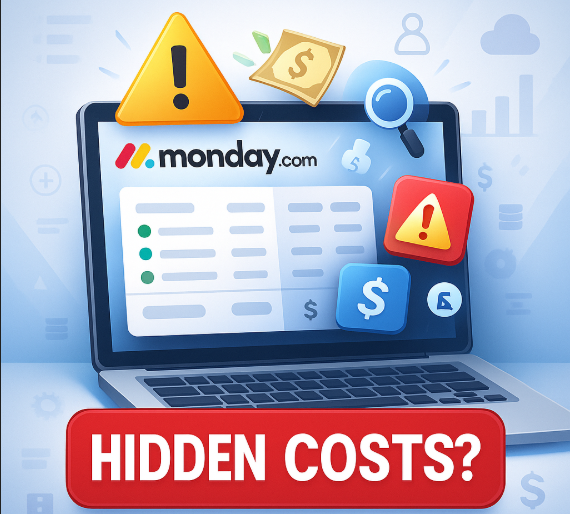
📌 Hidden Cost Factors Nobody Explains
- Scaling with Team Growth:
- As you add more users or modules cost increases linearly. Mixed licensing (some on Work, some on CRM, etc.) can help optimize, but billing becomes more complex.
- Automations / Integrations Limits:
- Lower-tier plans limit monthly automations/integrations heavy users may hit limits fast, forcing upgrade.
- Storage Limits:
- Basic plans have minimal file storage large file uploads can eat space quickly, possibly requiring higher tier or external file storage.
- Minimum Seat Requirement:
- Even for paid plans, there may be a minimum number of seats (e.g. 3 or more), meaning small teams may pay for unused seats.
- Advanced Security / Governance Only in Enterprise:
- If you need compliance, advanced permissions, governance, audit logs you often need to go for Enterprise, which costs more.
✅ Conclusion
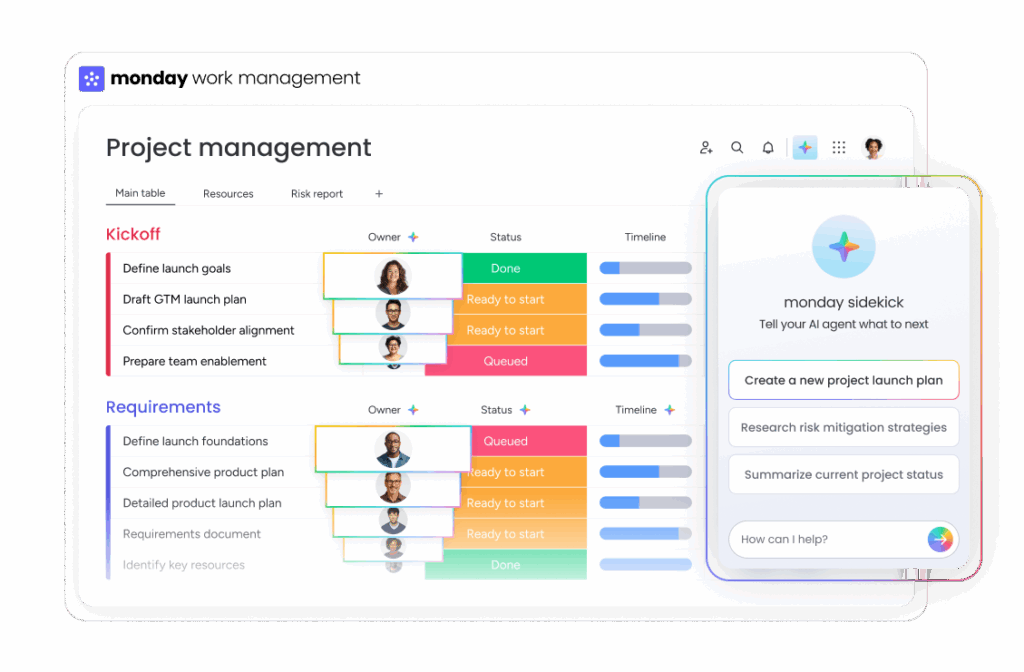
Monday.com is a powerful and flexible work platform but the right plan depends on your team’s size, workflow, and automation needs.
If you’re just starting out or testing the tool, the Free or Basic plan will give you a feel for how everything works. Small and growing teams will get the best balance of price and functionality from the Standard plan.
If your work relies heavily on advanced automation, time tracking, or multi-department workflows, the Pro plan is a smarter long-term investment.
Large organizations with strict compliance and security requirements should go with Enterprise for the extra controls and support. And remember you can always start small, try the free trial, and upgrade only when your team needs more power.
In short:
👉 Choose based on what helps your team work faster not just what feels cheaper today.
Smart planning now will save money, time, and chaos later.
❓FAQs
1. Can I use different Monday.com products (like CRM and Dev) under the same account?
Yes, you can access multiple Monday.com products (Work Management, CRM, Dev, etc.) under one account. Each product is organized in its own workspace, and you can switch between them easily from the main dashboard.
2. What happens if I exceed the automation or integration limits in my plan?
If you go over your monthly automation or integration limit, those features will stop working until the next billing cycle — unless you upgrade to a higher plan or purchase more actions.
3. Is there any setup or onboarding help for new users?
Yes, Monday.com offers onboarding webinars, video tutorials, help docs, and customer support. Enterprise users also get personalized onboarding and account managers for smooth setup.

I’m a CRM and Xero expert with over 6 years of experience. I specialize in researching, testing, and simplifying complex systems like Xero and other CRM tools. From setting up workflows to writing easy-to-understand content, I help businesses choose the right platforms and use them better for real growth.